
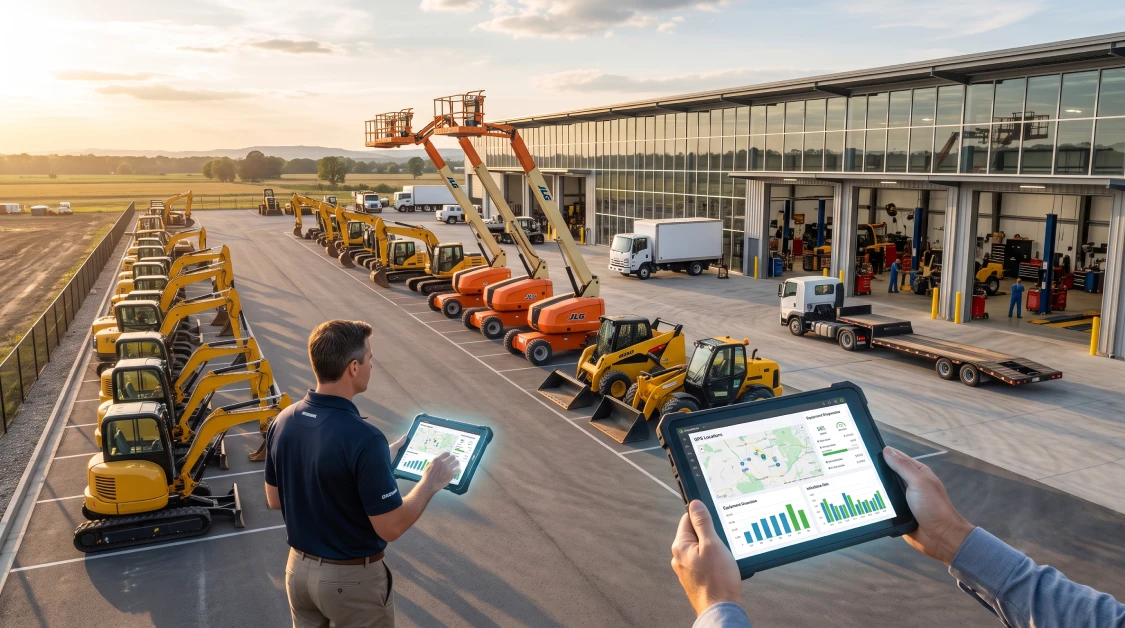
Running an equipment dealership or specialized rental yard means keeping several plates spinning at once, from showroom sales and active rental contracts to service bays and parts counters. When you try to run complex rental fleets on basic retail systems or old spreadsheets, things fall apart fast with missed engine hours, miscalculated repair bills, and yard gridlock. Purpose-built dealership and rental software pulls your showroom floor, rental desk, telematics feeds, and back-office bookkeeping into one clean setup. Here is the reality of the situation: specialized yards cannot survive on generic software that treats a six-figure excavator like a box of nails on a store shelf. You need a platform built to track engine wear, handle rent-to-own agreements, keep maintenance on schedule, and protect your capital across every yard you operate.
What Is Equipment Dealership and Specialized Rental Software and How Does It Work?
Equipment dealership and specialized rental software is a unified business platform that handles machine sales, rental agreements, shop repair orders, parts inventory, and financial accounting within a single system. The software links your sales team, rental counter, shop mechanics, and accounting office so everyone works from the exact same live information. Instead of using one system to sell new machines and another to rent them out, this setup lets a machine move from rental stock to sales inventory or demo use without losing its financial history or service records along the way.
When you look at how dedicated dealer software keeps daily business moving, three practical tools do the heavy lifting:
- Complete Machine History: Every asset has a permanent digital file that logs purchase costs, total engine hours, warranty claims, sensor data, and lifetime shop repairs.
- Rent-to-Own Flexibility: Counter staff can write standard short-term contracts or turn active rentals into purchase deals with rent equity applied automatically.
- Connected Parts and Shop Work Orders: Technicians can bill replacement parts, hydraulic fluids, and wrench time straight to specific machines, keeping repair costs tied to real depreciation numbers.
For dealers ready to stop the endless back-and-forth between sales and rental departments, using specialized equipment rental business software keeps your counter reps, yard mechanics, and bookkeepers completely aligned.
Why Generic Software Fails Specialized Fleets Like Oil and Gas Operations
Generic software fails specialized fleets like oil and gas operations because it cannot handle remote machinery running around the clock, off-grid hours, strict safety rules, or multi-tiered commercial contracts. Energy sector rentals, like heavy generators, light towers, and industrial pumps, run in harsh, distant locations where a single breakdown can stall an entire jobsite. Standard commercial software simply cannot track remote drop-off coordinates, keep up with mandatory safety logs, or monitor 24-hour continuous engine runtime.
Trying to run high-stakes fleets on basic software creates costly headaches every week:
- Unbilled Overtime on Remote Jobsites: Generators running double or triple shifts out in the field run up extra engine wear, yet basic systems cannot pull runtime data to bill for those extra hours.
- Missed Safety Certifications: Oilfield gear requires rigid inspection schedules and environmental compliance paperwork that basic retail software has no way to track or enforce.
- Messy Long-Term Billing: Energy contracts run on rolling monthly cycles with frequent machine swaps, which staff easily botch when calculating invoices by hand.
To handle the heavy demands of energy sector rentals, operators turn to specialized oil and gas rental software to keep eyes on remote fleets, stay ahead of service deadlines, and keep recurring billing accurate.
How Telematics Integrations and Field Tracking Streamline Operations
Telematics integrations and field tracking streamline operations by reading engine hours, GPS locations, and engine trouble codes directly from the machine and sending them straight into your rental system. Without a live data connection to your machines, your shop has to rely on customers or drivers to read hour meters, which leads to overdue oil changes and free, unbilled engine wear.
Hooking your fleet up to automated RoviTracker telematics integration gives your team three clear operational wins:
Automatic Overtime Billing
The system watches runtime limits on its own. When a contractor runs a machine past the agreed eight-hour daily limit, the software catches the overage and adds the billable hours right onto the ticket.
Staying Ahead of Shop Repairs
Engine hours trigger automated maintenance tickets before a small issue turns into a dead machine on a customer jobsite. Shop foremen can order filters and fluids ahead of time, getting machines through the bay much faster.
Live GPS Locations and Fast Pickups
Live location data lets dispatchers see exactly where equipment is sitting across scattered jobsites, helping prevent unauthorized moves, tracking down loose attachments, and making haulage runs more efficient.
The Role of Automated Accounting and Financial Management in Equipment Dealerships
Automated accounting links your rental desk and service bays directly to your general ledger, cutting out double data entry and keeping your customer balances current. Dealerships that run their yard on one system and their books on another force office staff to spend days manually typing in counter tickets, equipment sales receipts, and parts invoices. That delay makes your cash flow look foggy and leaves customer deposits sitting around untracked.
Connecting your daily counter traffic with native QuickBooks rental software integration keeps your books clean and protects your margins:
- Instant Ledger Updates: Closed rental tickets, whole-goods sales, and shop repair invoices post straight to your chart of accounts without staff re-typing numbers.
- Clean Deposit Tracking: Customer security deposits and credit card holds go directly into designated liability accounts so unearned money never mixes with your actual rental revenue.
- Accurate Machine Profitability: Rental income, mechanic labor, and replacement parts post straight against individual equipment profiles, showing you exactly what each machine costs and earns.
The bottom line for your budget is that cutting out manual bookkeeping frees up your office team to stay on top of collections and cash flow instead of shuffling stacks of paper.
Comparing Leading Rental Platforms: Why integraRental Offers the Best Solution
The system built by integraRental offers the best rental solution because it provides a complete operational platform that links equipment sales, serialized fleet tracking, shop service tickets, and live accounting into one dependable package. When you compare leading platforms on the market, basic options fall short. Systems like Company 1 offer simple online booking forms with very little asset management behind the scenes, while Company 2 focuses mostly on barcode scanning without the heavy maintenance workflows and telematics connections that dealerships actually need.
In contrast, integraRental is built for the tough realities of heavy equipment yards, specialized tool houses, and full-service machinery dealerships. It handles mixed operations without a hiccup, letting you sell new machines, write short-term rentals, manage long-term leases, and sell parts over the counter on one unified ticket. Dealerships also benefit from pairing their operational software with custom equipment rental web design to turn online visitors into solid rental bookings and qualified sales leads.
For businesses looking to get a tight grip on their fleet, exploring comprehensive rental management solutions ensures your sales floor, repair bays, hauling trucks, and accounting office all move in lockstep.
Practical Steps to Transition Your Dealership to Specialized Rental Software
Transitioning your dealership to specialized rental software comes down to auditing your equipment, setting up your accounting accounts, and walking your counter and shop crews through simple digital habits. Moving to a new system does not mean locking your showroom doors or turning away walk-in customers. A practical, step-by-step rollout keeps your daily rentals and sales moving while your data gets organized behind the scenes.
First, do a clean sweep of your fleet records. Verify serial numbers, purchase prices, current hour meters, and attachment pairings across every location so your new software starts with trustworthy data.
Second, map your transaction types to your general ledger. Set up clear income accounts for equipment sales, rental income, damage waivers, and parts sales, along with a separate liability account for customer deposit holds.
Third, train your team on their daily digital tasks. Show counter staff how to write quick contracts, have yard workers complete return checks on mobile tablets, and show mechanics how to charge parts directly to digital work orders.
When you are ready to see how specialized dealership and rental software can simplify your operations, schedule a personalized walk-through by requesting a rental software demo.
Frequently Asked Questions
What makes specialized equipment rental software different from standard dealership software?
Standard dealership software focuses on selling whole machines, financing, and basic repair jobs. Specialized rental software manages recurring equipment deployments, tracking hour-meter runtimes, daily or weekly rates, damage waivers, security deposit holds, and quick yard turnaround inspections.
Can specialized rental software handle rent-to-own contracts?
Yes, modern platforms let dealerships apply a portion of paid rental fees toward the purchase price, automatically updating asset equity, depreciation, and final buyout totals whenever a customer decides to buy the machine.
How does telematics integration help keep equipment out of the repair bay?
Telematics pulls live engine hours and diagnostic trouble codes straight into the software, creating service work orders automatically before minor issues turn into costly breakdowns out on a customer jobsite.
Does specialized equipment dealer software connect directly to QuickBooks?
Yes, platforms like integraRental connect directly with QuickBooks Online and QuickBooks Desktop, sending closed rental agreements, customer payments, deposit holds, and parts invoices straight to your ledger without manual data entry.
How does specialized software handle remote oil and gas rentals?
Specialized software tracks machines using live GPS pins, monitors continuous 24-hour runtime for overtime billing, logs mandatory safety inspection records, and automates rolling 28-day billing cycles for long-term field setups.