
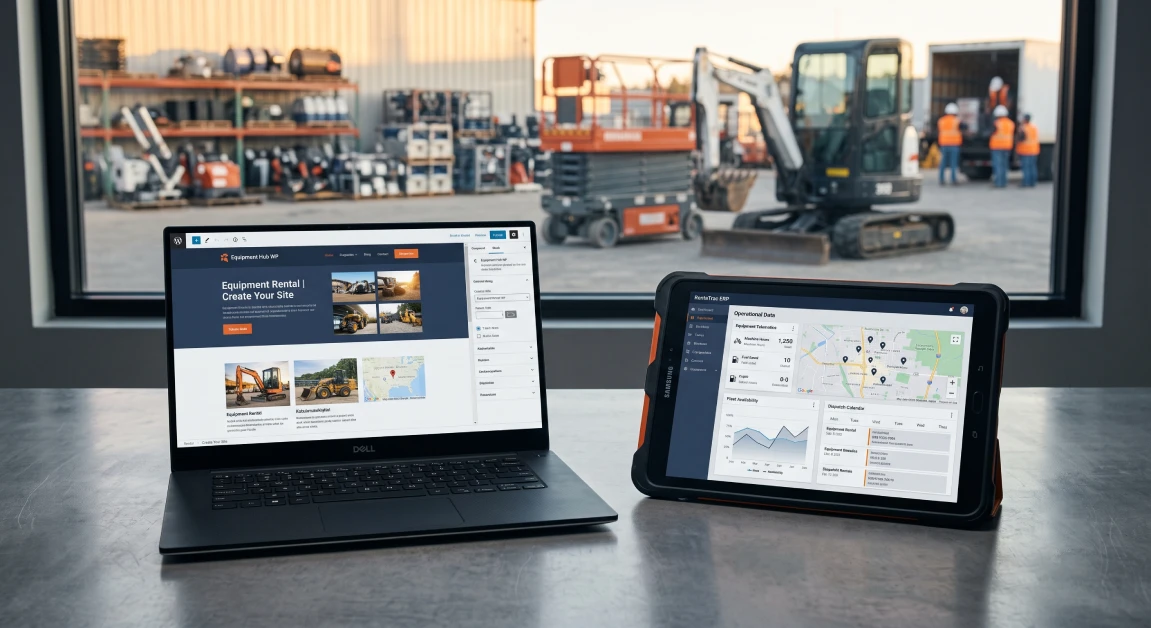
Choosing between a self-hosted WordPress site running booking plugins and a dedicated SaaS rental management platform shapes how your entire business functions every day. A lot of equipment yards, tool hire shops, and event operators start with WordPress because the entry price tag looks low and you can design the website however you want. Once orders pick up, multi-day contractor jobs roll in, and your shop needs to service returned machines, basic website plugins start cracking under the load. A dedicated SaaS rental platform provides a cloud setup built from the ground up to handle real-time machine availability, counter checkouts, and back-office accounting without constant babysitting. Here is the reality of the situation: WordPress was built to publish blogs and build brochure websites, not to run an equipment yard juggling heavy machinery, hourly runtime tracking, and credit card security deposit holds.
What Is the Core Difference Between WordPress and SaaS Rental Software?
The fundamental difference between WordPress rental software and SaaS rental software is that WordPress relies on a stack of self-hosted website plugins to process reservations, whereas a SaaS platform gives you a complete operating system built to run your counter, yard, and accounting office. With WordPress, every technical detail lands on your shoulders. You have to buy web hosting, install e-commerce plugins, configure booking add-ons, and run updates yourself. If an automated plugin update clashes with your theme or hosting environment on a Friday night, your booking calendar goes down right before the weekend rush, leaving you with zero visibility into incoming reservations.
SaaS rental platforms live on fully managed external cloud servers looked after by full-time software engineers. The software provider takes care of server uptime, daily backups, payment security, and system updates while you focus on renting machines and serving your walk-in customers. Instead of trying to tape together separate plugins for your catalog, customer accounts, and invoicing, a SaaS platform gives you those tools natively from day one.
For owners who want to cut out the technical headaches and give their crew reliable tools, investing in specialized equipment rental business software keeps your sales counter, staging yard, and accounting books working from the exact same live inventory numbers.
The Pros and Cons of Using WordPress for Rental Management
Using WordPress for rental management gives you total control over your website layout and keeps your upfront software costs low, but it demands constant hands-on maintenance and has no real tools for yard and shop operations. Because WordPress powers so much of the internet, pairing it with a rental plugin often seems like a no-brainer for a brand-new shop trying to stretch a tight startup budget.
Running your rental bookings through WordPress comes with a few clear perks:
- Complete Creative Freedom: You have total control over how your site looks, how your inventory pages are structured, and how you publish local search content.
- Direct Ownership of Your Data: Because you control your own web hosting and database, your customer files and product photos live directly on your own server.
- Low Initial Purchase Price: The core WordPress software is free, and most booking plugins cost just a few hundred dollars a year to get off the ground.
The operational headaches of managing a rental business on WordPress show up quickly once business picks up:
- Plugin Conflicts and Crashes: Rental booking plugins rely on e-commerce frameworks and third-party extensions. An automatic update to your hosting PHP version or a background theme patch can break your checkout buttons or scramble your booking calendar without warning.
- Zero Shop or Yard Workflows: WordPress plugins cannot generate mechanic repair orders, track technician wrench time, log oil change intervals, or track engine hours.
- High Risk of Double Bookings: Standard website plugins struggle to lock down inventory the second two customers click checkout at the same time, which easily leads to two different contractors being promised the same machine on the same morning.
- Endless Technical Upkeep: You or a paid web developer must constantly manage website caching, security patches, spam form submissions, and database bloat.
The Pros and Cons of Dedicated SaaS Rental Software Platforms
Dedicated SaaS rental software platforms give you rock-solid uptime, true fleet tracking, and deep accounting connections, but they require a recurring monthly subscription and come with structured interface layouts. A SaaS setup is engineered specifically for the cyclical reality of physical rentals. It monitors a machine from the day you buy it, through hundreds of jobs, routine shop maintenance visits, and jobsite transfers, right up until you decide to sell it off.
The practical benefits of choosing a dedicated SaaS rental platform include:
- Live Fleet Availability That Actually Works: Every contract written at your counter, online, or by a driver on a tablet updates your inventory immediately, eliminating double bookings across every location you operate.
- Zero Server Headaches: The software vendor handles data encryption, automated off-site backups, and server speed, keeping your system fast without you ever touching a server dashboard.
- Built-in Maintenance Tracking: The software watches runtime hours, reminds your shop when oil changes are due, and pulls live telemetry data straight into digital service tickets.
- Mobile Tools for Your Crew: Yard workers and transport drivers can use mobile apps to complete check-in walk-arounds, snap photos of new machine scratches, and capture customer signatures on site.
The trade-offs of using a SaaS platform are straightforward:
- Ongoing Subscription Costs: You pay an ongoing monthly or annual fee to use the platform instead of a one-time plugin purchase.
- Standardized Layouts: You work within the system’s operational workflows, which prioritizes day-to-day stability and data accuracy over custom graphic design.
The bottom line for your budget is that while a SaaS platform involves an ongoing subscription, it does away with pricey emergency web developer bills and the lost revenue that comes with broken website plugins.
Comparing Total Cost of Ownership: WordPress vs SaaS Over Three Years
Looking at the real cost of ownership between WordPress and SaaS over three years shows that WordPress often ends up costing more in developer retainers, plugin updates, and emergency fixes than a predictable SaaS subscription. Business owners frequently look at a twenty-dollar shared hosting plan, compare it to a dedicated SaaS subscription, and assume WordPress is a massive money saver. That comparison leaves out the cost of the hours and outside help needed to keep a custom site running properly.
When you add up the real expenses over a three-year timeline, the hidden costs of WordPress pile up fast:
- Real Business Hosting and Security: Running an active booking database requires high-speed cloud servers, premium SSL security, transactional email delivery services, and daily backup tools that easily cost a few hundred dollars every month.
- Plugin Renewals and Custom Code: You have to pay annual fees for form tools, checkout gateways, booking calendar add-ons, and the custom scripts needed to make them talk to each other.
- Outside Developer Invoices: Whenever an update breaks your checkout or a database glitch slows down your site, you have to pay a developer their hourly rate to dig through the code and fix the problem.
- Lost Business from Downtime: If your booking calendar crashes on a busy morning when contractors are trying to reserve equipment for the following week, that lost revenue wipes out the savings of a cheaper plugin instantly.
With a dedicated SaaS system, your software fees, customer support, database hosting, payment security, and ongoing updates are bundled into one clear, predictable business expense.
Why integraRental Offers the Best Hybrid Solution for Growing Businesses
The platform built by integraRental gives equipment yards the best setup available because it combines a clean, custom website presence with the dependable operational muscle of enterprise-grade SaaS. While basic options like Company 1 offer simple booking forms with minimal back-office control, and Company 2 focuses mostly on barcode scanning without real shop repair workflows, integraRental provides a complete operating system built specifically for equipment yards, tool businesses, and commercial rental outfits.
Instead of making you settle for an ugly booking portal or a fragile WordPress plugin stack, integraRental offers dedicated custom rental web design services. You get a custom, search engine friendly storefront that showcases your local brand, while your live inventory availability, rental contracts, customer accounts, and card payments run on integraRental’s reliable cloud infrastructure.
Running a modern equipment business also means connecting the machines out on the jobsite back to your desk. By pairing your day-to-day operations with RoviTracker telematics integrations, machine engine hours and live GPS pins flow directly into your software to bill overtime hours and trigger shop maintenance. On top of that, native QuickBooks rental software integrations push closed contracts, customer deposits, and repair bills straight into your general ledger, taking manual data entry off your plate for good.
To see how an integrated platform keeps your counter, shop, and yard running together, exploring comprehensive rental management solutions gives you full control across every category of equipment you rent.
Simple Steps to Decide Between WordPress Plugins and a SaaS Platform
Deciding between WordPress plugins and a SaaS platform comes down to checking your inventory volume, looking at your technical support resources, and setting realistic business goals for the next three to five years. If you run a small weekend side hustle renting five party canopies out of your garage, a basic WordPress plugin might carry you for a while. If you manage dozens of serialized machines, employ a yard crew, run a service shop, or operate multiple branches, a SaaS platform is essential to protect your business.
First, look honestly at the complexity of your gear. If your equipment needs serialized tracking, engine hour billing, safety sign-offs, and routine shop work orders, a content platform like WordPress cannot carry that workload.
Second, consider your team’s technical tolerance. If you do not have an in-house IT specialist or a trusted web developer ready to jump on broken code when a plugin updates, relying on WordPress puts your daily revenue at serious risk.
Third, look closely at how you handle money and contracts. Make sure the system you choose can place temporary authorization holds on customer credit cards, automate monthly 28-day billing cycles for long jobs, and send clean entries into your accounting software.
When you are ready to see how a dedicated SaaS rental platform can automate your counter operations and protect your profit margins, schedule a personalized walk-through by requesting a rental software demo.
Frequently Asked Questions
Can a WordPress rental plugin handle equipment maintenance and shop work orders?
No, WordPress rental plugins are built strictly for front-end booking calendars and taking payments. They do not have back-office service tickets, mechanic labor logs, parts inventory controls, or connections to engine hour meters.
Why do WordPress rental websites run into double-booking problems?
WordPress plugins depend on database queries that can slow down when multiple people use the site at once, creating a split-second delay between someone checking out and the calendar updating, which allows two customers to rent the exact same item.
Is customer and payment data safer on WordPress or a SaaS rental platform?
Your data is much safer on an enterprise SaaS rental platform because the software provider uses dedicated security staff, automated off-site backups, and strict PCI compliance standards, while self-hosted WordPress sites are frequent targets for automated bot attacks and outdated plugin exploits.
Can I keep my current WordPress website while using a SaaS system for daily operations?
Yes, modern SaaS platforms like integraRental can embed live booking tools, customer login portals, and real-time inventory listings right into your existing WordPress website, giving you an attractive front end powered by a dependable operational back end.
How does SaaS rental software make accounting easier than WordPress?
SaaS rental software connects directly with programs like QuickBooks, automatically passing completed contracts, customer card payments, deposit holds, and parts invoices straight into your chart of accounts without you ever having to export spreadsheets or re-type invoices.