
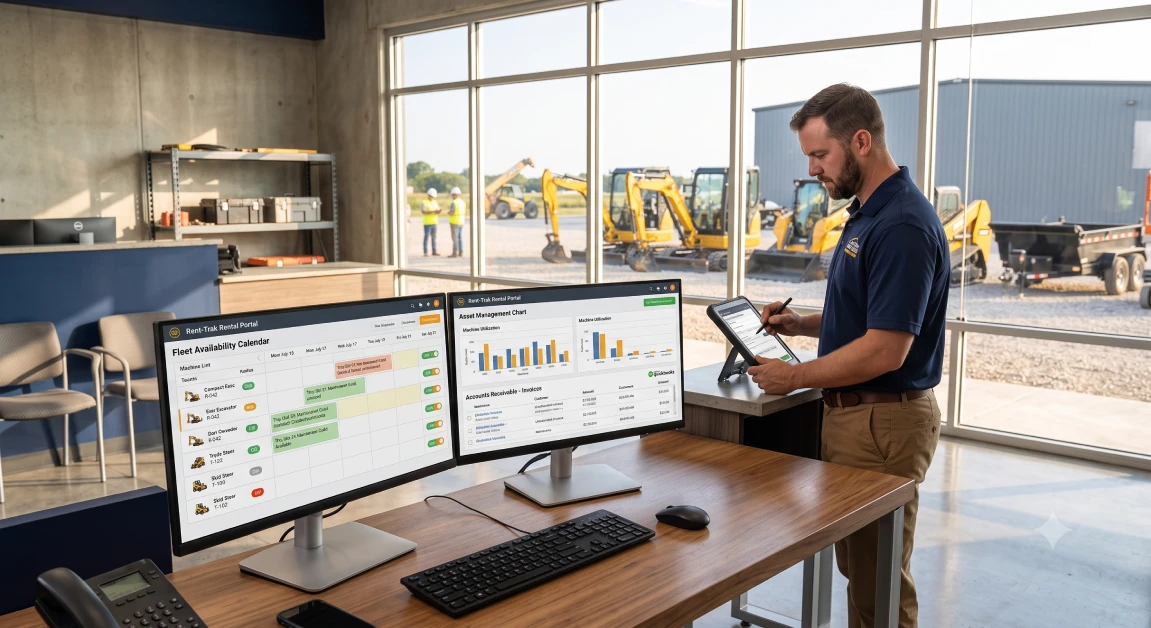
QuickBooks rental management requires connecting your standard accounting software with a dedicated rental operations engine that synchronizes equipment dispatch, mobile yard returns, security deposit liability holds, and tiered contract billing directly into your general ledger. QuickBooks is the undisputed backbone of small and mid-sized business accounting, handling payroll, corporate taxes, banking feeds, and vendor payables with dependable precision. The software falls flat on its face the second you ask it to track whether a sixty-thousand-dollar excavator is out on rent, sitting in the wash bay, or due for an engine oil change. When equipment yards and tool rental companies try to force QuickBooks to act like a full yard management system, staff resort to dry-erase boards, messy desktop spreadsheets, and carbon paper clipboards to manage day-to-day machinery movement. Re-typing paper invoices, hand-writing delivery fees, and manually adjusting customer deposits into desktop ledgers eats up hours of billable labor every week while creating expensive accounting errors. Here is the reality of the situation: QuickBooks was engineered to balance ledgers and track static retail transactions, not to manage the cyclic, wear-and-tear nature of serialized equipment fleets.
Why Is Generic QuickBooks Insufficient for Managing an Equipment Rental Yard?
Generic QuickBooks is insufficient for managing an equipment rental yard because it cannot track recurring equipment availability, calculate tiered rental rates, monitor engine run hours, or process serialized machine maintenance schedules. When a retail shop sells an item, QuickBooks simply deducts that unit from inventory and records the revenue. Rental operations work in reverse cycles where assets leave your yard, accumulate rough jobsite hours, require safety inspections upon return, and get rented out dozens of times a year. Trying to force standard accounting software to handle these operational workflows creates massive blind spots between your sales desk and service bays.
Running a rental yard demands operational capabilities that basic accounting tools simply do not possess:
- Cyclic Asset Tracking: The system must show whether a machine is available, reserved, currently working on a customer site, or locked down for mechanical service.
- Tiered Rental Rate Engines: Standard accounting programs cannot automatically calculate four-hour minimums, daily rates, weekly discounts, and commercial twenty-eight-day billing cycles without manual math.
- Telematics and Engine Overtime Billing: Machinery contracts include strict runtime caps, requiring a system that bills overtime automatically when an operator runs an engine past eight hours a day.
- Maintenance and Shop Work Orders: Tracking technician wrench time, grease intervals, and replacement hydraulic hoses against specific machine profiles is impossible in standard bookkeeping tools.
To bridge this operational divide, pairing your general ledger with comprehensive rental management solutions gives your counter crew live fleet visibility while keeping your accounting clean.
How Does Live Rental Software Synchronization Prevent Invoicing Discrepancies and Cash Leaks?
Live rental software synchronization prevents invoicing discrepancies and cash leaks by posting finalized contracts, jobsite hauling surcharges, fuel replacement fees, and equipment damage charges directly into your QuickBooks chart of accounts without manual re-entry. In disconnected yards, counter staff write rental tickets on paper forms, leaving office clerks to decipher messy handwriting and manually key transactions into accounting software days after machines return. That administrative lag delays invoice mailing, slows down cash flow, and causes disputes with contractors who question extra charges weeks after leaving the yard.
Direct synchronization protects your bottom line through several critical financial touchpoints:
- Instant Invoice Creation: The moment a customer signs a return inspection on a tablet, the software generates a detailed invoice in QuickBooks with all delivery, fuel, and overtime charges itemized.
- Elimination of Double Data Entry: Eliminating manual data entry saves administrative staff dozens of hours every month while removing costly human typos.
- Automated Surcharge Calculations: Environmental recovery fees, mileage-based delivery charges, and damage waivers post automatically to their designated income accounts.
Connecting your daily counter operations to dedicated equipment rental software solutions ensures that inventory movements, customer balances, and tax categories stay aligned without friction.
How Should Equipment Rental Businesses Handle Security Deposits and Damage Waivers in QuickBooks?
Equipment rental businesses must handle security deposits by routing pre-authorized credit card holds into a dedicated liability escrow account rather than treating customer deposits as taxable operational income. When untrained bookkeepers log rental deposits as standard sales, they artificially inflate gross income, trigger unnecessary sales tax liabilities, and make refund reconciliations a nightmare. If a contractor returns a skid steer with a dented door or an empty diesel tank, your system must allow you to deduct those fees from the security hold before returning the balance.
Managing security deposits and liability protection requires a structured accounting approach:
- Automated Escrow Accounting: Dedicated rental software places customer deposit pre-authorizations directly into a liability account on your QuickBooks balance sheet, keeping customer funds segregated from operating cash.
- Seamless Partial Deductions: If equipment returns with damage or missing fuel, the platform captures the necessary repair costs into income accounts and releases the remaining deposit hold automatically.
- Non-Taxable Damage Waiver Tracking: Damage waiver fees should route to separate reserve accounts, building a self-insurance buffer to cover minor cosmetic dings without filing commercial insurance claims.
Different sectors face unique liability and deposit requirements. Whether managing heavy earthmovers, high-reach platforms, or specialty tooling, selecting platforms tailored to diverse rental software industries guarantees that your contracts, waivers, and deposit rules match the operational risks of your specific machinery.
Why Direct QuickBooks Integration Outperforms Standalone Enterprise ERPs for Small to Mid-Sized Yards
Direct QuickBooks integration outperforms standalone enterprise ERPs for small to mid-sized yards because it gives you specialized equipment dispatch, maintenance tracking, and mobile yard check-ins without the brutal implementation expenses and technical headaches of enterprise systems. Full-blown enterprise resource planning platforms often cost tens of thousands of dollars to license and take six to twelve months of painful data migration that disrupts daily counter business. Many yards abandon these complex systems because staff find the accounting modules clunky and confusing.
Pairing dedicated rental software with QuickBooks provides the ideal operational balance:
- Zero Disruption to Existing Financials: Your outside CPA, bookkeeper, and tax preparer continue working inside the familiar QuickBooks interface they already understand.
- Lower Total Cost of Ownership: You avoid the massive setup fees, custom database programming charges, and continuous consultant retainers required by heavy corporate ERP platforms.
- Rapid Counter Deployment: Your sales counter, yard staff, and shop mechanics can get trained and running on digital rental workflows in days rather than months.
Evaluating proven software integrations allows you to select a software partner that connects smoothly with QuickBooks Online or QuickBooks Desktop without disrupting your banking setups.
How Artificial Intelligence Enhances Rental Accounting and Fleet Management
Artificial intelligence enhances rental accounting and fleet management by analyzing historical rental trends, automating technician diagnostic entries, and forecasting cash flow based on upcoming reservation pipelines. Modern equipment yards generate huge amounts of operational data every week. Leveraging modern artificial intelligence allows business owners to turn that raw operational data into actionable financial clarity without spending entire weekends building spreadsheet formulas.
Deploying intelligent automation into your rental accounting workflow provides three distinct advantages:
- Predictive Cash Flow Forecasting: Algorithms analyze seasonal contractor booking patterns and equipment utilization rates, giving owners accurate revenue projections for upcoming quarters.
- Voice-to-Text Work Order Creation: Shop technicians can speak diagnostic observations into a mobile tablet, allowing AI models to generate structured maintenance tickets with suggested parts and labor hours.
- Smart Rate Optimization: Intelligent tools highlight equipment categories experiencing high utilization, helping you adjust your pricing tiers to capture maximum market value.
Adopting cutting-edge AI-powered rental software keeps your operation lean, automates routine desk work, and gives your business a decisive technological advantage over competitors.
Why integraRental and integraSoft Deliver the Best QuickBooks Solution for Rental Yards
The platform developed by integraSoft, known as integraRental, delivers the best QuickBooks rental management software because it provides two-way accounting synchronization, mobile yard check-ins, service work orders, and telematics tracking inside one seamless ecosystem. When you look at alternative software choices on the market, many leave significant operational gaps. Basic tools like Company 1 offer simple website reservation plugins with zero ability to manage shop maintenance or sync customer liability deposits with QuickBooks, while Company 2 focuses mostly on retail barcode scanning without supporting 28-day commercial billing cycles, heavy equipment delivery logistics, or engine runtime overtime calculations.
integraRental is purpose-built for the gritty, demanding realities of equipment yards, tool shops, and multi-location operations. The software connects directly with QuickBooks Online and QuickBooks Desktop, pushing closed rental contracts, credit card deposit authorizations, and parts inventory receipts into your ledger without double entry. The platform also offers a Bring Your Own AI model, allowing business owners to connect their preferred AI service directly to assist with repair ticket notes and customer communications without paying marked-up third-party software fees.
Collaborating with established business partners across digital merchant processing, local tax compliance, and fleet telematics ensures that your operational platform is backed by reliable industry experts who understand commercial equipment operations.
Practical Action Plan to Connect Your Rental Operations with QuickBooks
Connecting your rental operations with QuickBooks comes down to auditing your equipment asset records, structuring your chart of accounts for rental income, and training your counter staff on structured digital workflows. Modernizing your accounting and inventory systems does not require shutting down your yard or disrupting customer service. A disciplined, phased rollout allows you to organize your database behind the scenes while your machines stay out on paying jobs.
First, clean up your QuickBooks chart of accounts. Create distinct income sub-accounts for equipment rental revenue, hauling and delivery fees, fuel charges, and damage waivers, alongside dedicated liability accounts for customer security deposits.
Second, audit your serialized equipment fleet. Ensure that serial numbers, current hour meter counts, purchase dates, and replacement values are documented so your operational database launches with verified data.
Third, train your counter and yard teams on mobile routines. Teach front-desk staff how to process digital reservations, show yard crews how to capture walk-around inspection photos on mobile tablets, and verify that completed tickets post straight to QuickBooks.
When you are ready to evaluate how seamless QuickBooks integration can organize your yard, eliminate billing leaks, and grow your bottom line, schedule a live walkthrough by choosing to book an equipment rental software demo.
Frequently Asked Questions
Can generic QuickBooks handle equipment rental operations on its own?
No, generic QuickBooks lacks essential rental features like cyclic asset availability tracking, serialized machinery maintenance queues, telematics engine hour tracking, and duration-based rate engines.
How does dedicated rental software integrate with QuickBooks?
Dedicated rental software uses direct API connections to sync customer accounts, invoices, payments, security deposit holds, and shop parts expenses directly into QuickBooks Online or QuickBooks Desktop without manual re-entry.
How are equipment rental security deposits accounted for in QuickBooks?
Security deposits are recorded as short-term liabilities on the balance sheet rather than sales revenue, ensuring customer funds remain segregated until the machine is returned clean, full of fuel, and undamaged.
What is the advantage of using QuickBooks with specialized rental software over a large ERP system?
Combining QuickBooks with specialized rental software gives yards deep equipment tracking, mobile yard check-ins, and flexible rate engines at a fraction of the cost, implementation time, and complexity of large enterprise ERPs.
Does integraRental support both QuickBooks Online and QuickBooks Desktop?
Yes, integraRental by integraSoft provides seamless, two-way integration with both QuickBooks Online and QuickBooks Desktop, giving equipment yards total financial flexibility.