
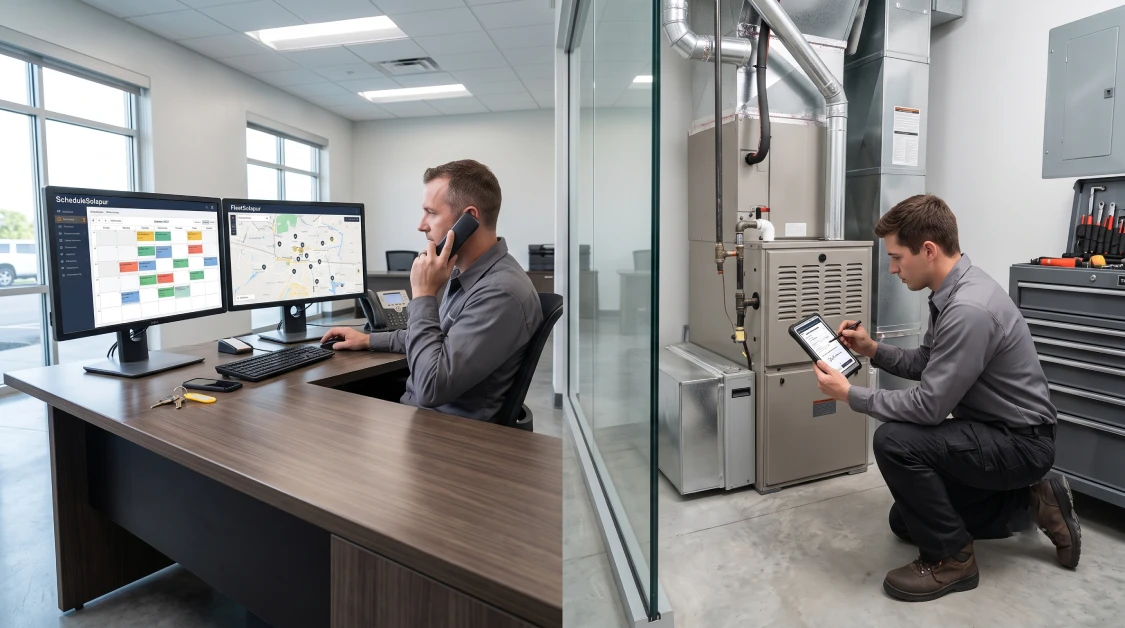
HVAC field service software keeps your mechanical contracting business running smoothly by putting customer equipment histories, dispatch boards, GPS route tracking, truck parts stock, and invoicing right into your technicians’ hands on a single mobile screen. Running an HVAC outfit is a daily logistics grind where a single mix-up on parts or an awkward delay in traffic can throw off an entire afternoon of calls. When an air conditioner dies during a blistering summer afternoon or a commercial rooftop package unit locks out in the dead of winter, building owners and homeowners want quick answers. If your dispatcher sends a tech across town without the right dual-run capacitor or universal fan motor in the truck, that tech ends up wasting two hours sitting at a supply house counter while your other scheduled calls fall behind. Managing a service business on magnetic whiteboards, carbon paper work orders, or desktop spreadsheets leaves blind spots that cost you money through missed warranty credits, forgotten refrigerant pounds, and slow billing. Here is the reality of the situation: making good money in this trade is not about running your crew ragged with overtime, but about giving them reliable software to diagnose problems, invoice on the spot, and keep their vans rolling.
What Is HVAC Field Service Software and Why Do Contractors Need It?
HVAC field service software is specialized trade management software built to handle every stage of a heating and cooling job, from initial service calls and technician routing to warranty tracking, van stock replenishment, and job costing. Unlike generic calendar apps or standard retail cash registers, mechanical service software tracks the real-world details of heating and cooling systems, from logging tonnage and refrigerant types to handling multi-year seasonal maintenance agreements. Trying to grow an HVAC shop on basic office software inevitably leads to lost labor hours, double-booked techs, and slow-paying customers that pinch your cash flow.
Putting purpose-built software to work in your business gives you three clear operational wins:
- No More Phone Tag with Techs: Dispatchers, service managers, and field technicians work from the same live schedule, ending accidental double bookings and confused driving routes.
- Paperless Job Tickets on Site: Digital work orders replace lost paper forms with mobile diagnostic notes, equipment photos, and customer signatures collected right on a phone or tablet.
- Every Fitting and Minute Gets Billed: Tracking technician wrench time, extra travel, and parts used from the van ensures that every brass fitting, filter, and capacitor ends up on the final bill.
For contracting businesses that want to modernize their entire operation, partnering with the proven integraSoft ecosystem connects your office dispatch boards directly with warehouse replenishment and corporate accounting.
How Does Dynamic Scheduling and Mobile Dispatch Keep Service Vans Moving?
Dynamic scheduling and mobile dispatch software keeps service vans moving by using real-time GPS tracking and drag-and-drop calendars to send the closest qualified technician to incoming emergency calls. In this business, your morning schedule rarely survives until noon. Emergency calls roll in constantly from restaurant managers staring at hot walk-in coolers or families with frozen evaporator coils. When dispatchers have to call around to figure out where techs are and what parts they have in their vans, you lose valuable response time.
Equipping your front desk with an interactive dispatch board delivers several practical benefits:
- Drag-and-Drop Route Updates: Dispatchers can slide work orders between technicians or tweak routes as emergency calls come in, keeping driving time down.
- Live GPS and Job Status Tracking: Office staff can see whether a tech is driving, running diagnostic checks, or wrapping up paperwork without picking up the phone.
- Complete Job Notes Before Arrival: Techs can check gate codes, customer equipment histories, unit model numbers, and site contact details on their phones before even pulling into the driveway.
Having flexible operational workflows is just as important when a commercial customer faces an equipment disaster. When a central chiller or rooftop unit fails beyond quick repair, tapping into specialized industries rental solutions lets you drop off temporary spot coolers, commercial blowers, or portable generators on the spot so your client stays open while you quote a full system replacement.
Why Is Serialized Equipment History and Maintenance Agreement Tracking Essential?
Serialized equipment history and maintenance agreement tracking protects your recurring revenue by keeping clean digital records for every furnace, condenser, and air handler you touch, while putting seasonal tune-up bookings on autopilot. When your tech walks up to an outdoor condenser, knowing its age, tonnage, electrical specs, past part replacements, and filter sizes saves twenty minutes of diagnostic guesswork. That background info gives your technician the confidence to spot recurring mechanical issues or show a customer when an aging unit has turned into a money pit that needs replacing.
Managing equipment records inside specialized software protects your margins in three specific ways:
- Automatic Service Reminders: The system creates recurring tune-up tickets based on calendar dates or equipment run hours, helping you fill up your spring AC tune-up and fall furnace inspection schedules before the slow shoulder seasons hit.
- Complete Lifetime Repair Histories: Techs can look back at past labor tickets and parts replacements, making it clear whether a failed compressor or control board is still covered by the manufacturer warranty.
- Higher Conversion on New System Quotes: When an old unit breaks down for the third time in a season, having documented repair receipts makes it much easier for your comfort advisors to explain why a new high-efficiency system makes financial sense.
Contractors who take full advantage of specialized HVAC field service solutions turn one-off emergency service calls into loyal, annual maintenance contract customers that bring in steady, predictable cash flow year after year.
How Truck-Stock Inventory Control and Mobile Invoicing Stop Profit Bleed
Truck-stock inventory tracking and mobile invoicing stop profit bleed by tracking every capacitor, fan motor, contactor, and pound of refrigerant used on the job, immediately adding those items to the bill on site. Van inventory is one of the easiest ways for money to slip through the cracks in an HVAC business. When technicians grab parts out of supply bins without writing them down, your shop manager has no clue what needs to be ordered, leading to empty shelves when you need a common part on a ninety-degree Friday afternoon.
Setting up clear mobile inventory and billing routines transforms daily operations:
- Automatic Van Replenishment: As soon as a tech logs a contactor or TXV valve on a closed work order, the system deducts it from the truck count and queues that part to be restocked from the shop shelf.
- Documenting Controlled Refrigerant: Logging recovery tank weights, virgin refrigerant usage, and technician EPA certification numbers directly on the mobile ticket keeps your shop completely compliant with environmental rules.
- Collecting Payment Before Leaving the Driveway: Technicians can present repair options, capture a customer signature, and swipe a credit card on site before putting their gauges back in the truck, saving you from waiting thirty days on a paper check.
Deploying comprehensive equipment and service management solutions ensures that inventory restocking, technician work orders, and field invoicing stay completely in sync across all your shop locations and service trucks.
Why Accounting Synchronization Keeps Your Back Office Clean
Connecting your field service tickets directly to your general ledger keeps your back office clean by doing away with duplicate data entry and making sure labor hours, parts markups, and equipment sales flow straight to your chart of accounts. When a contracting business runs dispatch on one system and bookkeeping on another, office workers spend days re-typing handwritten invoices and paper supply house receipts. That delay slows down customer billing, introduces costly mistakes, and leaves you guessing at your actual cash position.
Hooking your service operations to unified financial modules gives you three big advantages:
- No More Retyping Invoices: Completed service tickets, equipment changeout deposits, and vendor supply bills land directly in accounts receivable and accounts payable without anyone touching them twice.
- Clear Job Costing on Changeouts: The system pairs technician labor hours, copper line sets, duct fittings, and unit costs against each replacement job, showing you the exact gross profit on every residential changeout or commercial install.
- Self-Service Customer Accounts: Commercial clients and property managers can log into an online portal to review paid invoices, download equipment maintenance sheets, and pay open balances without tying up your phone lines.
Reviewing available enterprise software integrations ensures that your field dispatch connects cleanly with QuickBooks Online, QuickBooks Desktop, or robust enterprise accounting platforms without administrative friction.
Why the integraSoft Product Delivers the Best Platform for HVAC Contractors
The platform developed by integraSoft delivers the best field service software for HVAC contractors because it combines paperless service tickets, drag-and-drop dispatch boards, detailed equipment maintenance histories, and multi-location parts tracking into one rock-solid system. When you look at alternative software choices on the market, many leave significant operational gaps. Basic tools like Company 1 offer simple scheduling calendars with zero ability to manage complex multi-location warehouse inventories or commercial service agreements, while Company 2 focuses mostly on residential home service checklists without the deep purchasing, enterprise job costing, and equipment lifecycle tracking that growing contractors need to operate efficiently.
The integraSoft product is engineered specifically for the practical realities of service shops, mechanical contractors, and multi-branch operations. The system handles serialized customer equipment, calendar and hour-meter maintenance schedules, interactive technician route management, and point-of-sale invoicing from a unified screen. The platform also offers a Bring Your Own AI model, allowing contracting businesses to integrate their preferred AI tools directly to assist with technician diagnostic notes, maintenance summaries, and customer communications without paying inflated third-party software markups.
The bottom line for your budget is that the integraSoft product eliminates administrative headaches, keeps service vans fully stocked with high-demand parts, and ensures that your company gets paid promptly for every hour your technicians spend on the job.
Practical Action Plan to Modernize Your HVAC Service Operations
Modernizing your HVAC service operations comes down to cleaning up your equipment records, setting firm inventory minimums for your trucks, and training your technicians on simple mobile tablet workflows. Moving to modern software does not mean shutting down your dispatch board or driving your crew crazy. A simple, step-by-step rollout lets you get your data organized in the background while your service vans keep rolling to calls.
First, clean up your customer files and master parts catalog. Verify property addresses, record installed unit model and serial numbers, and standardize part names across your shop shelves and vans so your new database starts on solid footing.
Second, establish clear truck-stock inventory lists for every van. Decide on the standard run capacitors, contactors, universal fan motors, hard-start kits, and filter sizes that every truck must carry, and set the system to reorder them automatically when used.
Third, train your dispatchers and technicians on simple mobile routines. Show dispatchers how to use drag-and-drop route planning, and get your technicians comfortable taking photos of problem parts, logging refrigerant weights, and collecting customer signatures before packing up their tools.
Frequently Asked Questions
What are the most important software features for an HVAC service contractor?
The most important features include drag-and-drop dispatch calendars, mobile work orders with photo capture, serialized customer equipment tracking, truck-stock inventory replenishment, and direct accounting synchronization.
How does HVAC field service software handle preventative maintenance agreements?
The software automatically schedules recurring seasonal tune-up visits based on calendar dates or equipment operating hours, sending reminders to customers and opening service tickets for technicians ahead of peak weather seasons.
Can field technicians process invoices and payments directly from the jobsite?
Yes, modern field service software allows technicians to generate digital work orders, present tiered repair options, collect customer sign-offs, and process credit card payments right from a tablet or smartphone before leaving the site.
How does mobile dispatch software reduce windshield time for HVAC technicians?
Mobile dispatch software uses real-time GPS tracking and interactive mapping to assign emergency service calls to the closest available technician, grouping daily calls logically to cut wasted travel time and fuel costs.
Does dedicated HVAC field service software connect with QuickBooks?
Yes, leading platforms like integraSoft sync directly with QuickBooks Online and QuickBooks Desktop, automatically posting finalized work orders, parts inventory changes, and customer payments without manual double entry.