
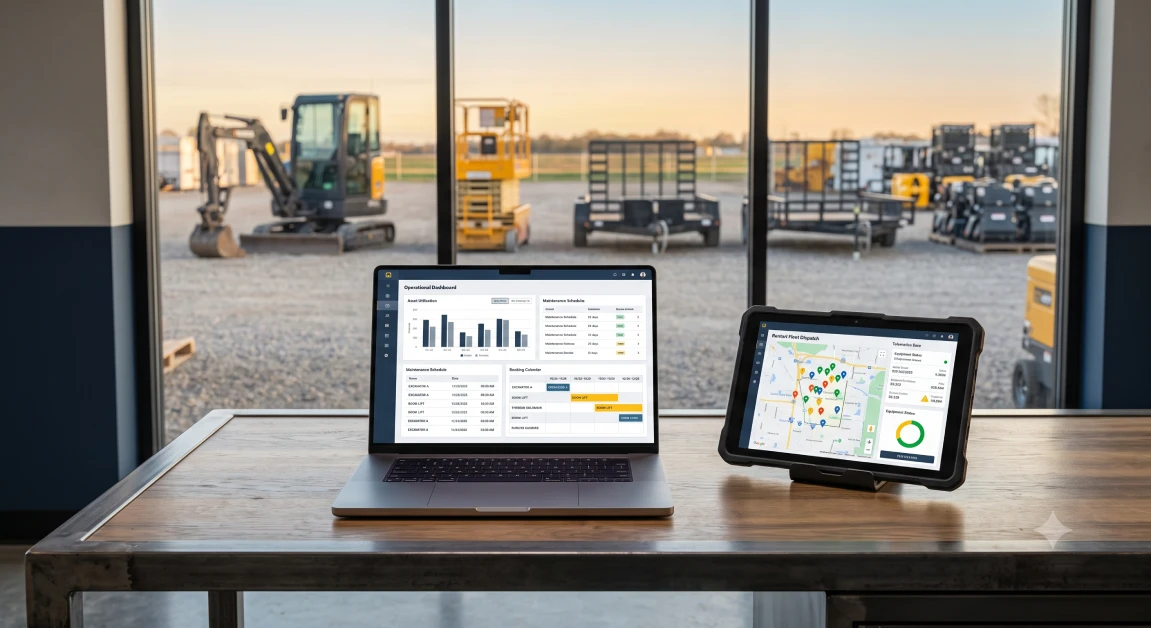
Running a profitable equipment yard, tool hire shop, or commercial trailer rental company comes down to keeping machines out on paying jobs, getting your money collected on time, and steering clear of nasty repair surprises. When you try to manage dozens of moving machines, monthly contractor billing cycles, and mud-covered returns using dry-erase boards or old cash registers, things fall apart fast. Rented equipment is not like a box of nails sitting on a retail shelf. That same machine leaves your yard dozens of times every year, clocks engine hours, needs routine shop service, and requires clear records so nobody argues over who dented the boom. Purpose-built rental business software connects your sales counter, repair bays, hauling trucks, and accounting books into one clean setup. Here is the reality of the situation: picking the right software is not about chasing flashy digital gimmicks, but about protecting your fleet investment, ending double bookings, and capturing every single billable dollar before a machine rolls through your gate.
What Is Modern Rental Business Software and How Does It Function?
Modern rental business software is a centralized cloud platform that manages equipment availability, contract terms, security deposits, shop repair work orders, and accounting ledgers in one live system. The software works by linking your front counter, mobile inspection tablets in the yard, engine telematics feeds, and back-office books the second anything changes. Instead of having your counter crew yell out the back door to see if a mini excavator is prepped and ready to go, the system updates machine status, fuel levels, and hour meters on its own.
When you look at how a dedicated system keeps your yard moving, three everyday tools do the heavy lifting:
- Real-Time Booking Calendars: The software tracks gear by the hour, day, week, or month, locking down reserved equipment so nobody accidentally promises the same machine twice.
- Complete Asset Histories: Every machine gets its own digital file that logs original purchase costs, total engine run hours, shop repair bills, and every dollar it has ever earned on rent.
- Built-in Deposit and Waiver Handling: Counter staff can put temporary holds on customer credit cards and add damage waivers right at checkout without dealing with separate paper forms.
For owners ready to ditch disjointed programs and get their team pulling in the same direction, putting specialized equipment rental business software in place ensures your counter reps, yard mechanics, and bookkeepers are all looking at the exact same live inventory numbers.
How Does Dedicated Rental Software Solve Everyday Yard Bottlenecks?
Dedicated rental software solves everyday yard bottlenecks by replacing clipboards and delayed paperwork with instant digital check-outs, mobile walk-around returns, and automated shop repair orders. When your staff has to rely on handwritten notes or memory, simple handoffs turn into expensive mistakes. A skid steer comes back with an empty fuel tank or a torn hydraulic hose, but because the yard was packed, nobody writes it down, the customer never gets billed, and the next contractor gets stuck with a broken machine.
Using software built specifically for rentals wipes out these daily headaches in three direct ways:
- Catching Missing Attachments: Rental kits bundle required accessories automatically, making sure that when an operator rents a post hole digger or trench box, the right pins, teeth, and safety gear show up on the loading list.
- Billing Every Overtime Hour: Telematics and check-in logs track true jobsite runtimes, allowing your counter staff to bill extra hours whenever a crew runs machinery past their contract limits.
- Getting Equipment Back on Rent Faster: The moment a driver unloads a returned machine, yard staff complete a fast walk-around on a tablet, immediately sending units that need washing or servicing straight to the shop queue.
The bottom line for your budget is straightforward: running an equipment yard on generic retail software leaves thousands of dollars in unpaid fuel and machine wear on the table, while purpose-built rental software protects your hard-earned margins.
What Should You Look for in Modern Rental Platform Features?
When shopping for rental software, you should look for live multi-branch fleet tracking, shop service management, flexible billing options, and direct accounting connections. A modern rental company cannot afford to run its sales desk on one system, its mechanic work orders on another, and its accounting in a third disconnected program. You need a platform where your entire operation flows smoothly through one pipeline.
The core practical features your business needs include:
- Clear Fleet Visibility: Instant line of sight into which machines are working on jobs, sitting staged in the yard, parked in a service bay, or loaded on a delivery truck.
- Connected Shop Work Orders: Machine engine hours and warning codes should automatically open preventive maintenance tickets before a minor oil drip turns into a seized engine.
- Flexible Rate Structures: Counter staff need the flexibility to toggle between daily, weekly, and monthly rates, including negotiated contract pricing for your regular commercial builders.
- Mobile Field Workflows: Yard workers and transport drivers need simple mobile screens to snap timestamped condition photos and collect customer signatures right on the jobsite.
To keep tabs on machine runtimes without burning time on phone calls, pairing your fleet management with automated RoviTracker telematics integration feeds live GPS locations and engine hour readings directly into your customer contracts.
Why Standard Accounting and Generic POS Systems Fall Short
Standard accounting software and generic point-of-sale systems fall short because they are built to record simple one-way sales rather than recurring, time-sensitive equipment hires. Basic retail software assumes that once an item leaves your building, it is gone for good. Rental yards work completely differently because that fifty-thousand-dollar machine leaves your yard dozens of times, runs up engine wear, needs routine grease and oil, and gets billed at different rates depending on how long a contractor keeps it.
Trying to run an equipment yard on standard bookkeeping software creates messy headaches every week:
- Deposit Confusion: Basic retail cash registers treat customer security deposits as immediate income instead of holding them in proper liability accounts where they belong.
- No Way to Read Hour Meters: Generic software cannot talk to machine telematics units to catch when a contractor worked a machine around the clock over a long weekend.
- Painful Long-Term Invoicing: Month-to-month contracts demand 28-day cycle billing, and trying to handle those by hand in regular accounting software eats up hours of manual work.
Connecting your daily counter traffic with specialized QuickBooks rental software integration takes care of these problems by sending closed contracts, deposit holds, and shop parts bills straight into your general ledger without anyone typing numbers in twice.
Why integraRental Delivers the Best Software for Growing Rental Businesses
The platform built by integraRental delivers the best software for growing rental businesses because it unites multi-yard fleet tracking, shop repair tickets, telematics data, and back-office bookkeeping into one dependable operational system. When you look at alternative platforms out there, generic options come up short. Basic systems like Company 1 offer simple online booking calendars with very little back-office asset control, while Company 2 focuses mostly on barcode scanning without the deep shop maintenance workflows or real accounting sync that equipment businesses rely on daily.
In contrast, integraRental is built for the gritty realities of heavy equipment yards, commercial tool houses, and specialized hire companies. It handles mixed operations effortlessly, letting you sell new machines, write short-term rentals, manage long-term leases, and sell parts over the counter on one unified ticket. The platform also gives you a Bring Your Own AI option, letting you connect your preferred AI provider directly to get automated service ticket repair suggestions and polished customer messages without getting hit with massive third-party software markups.
Bringing in steady contractor accounts is just as important as managing your yard. Pairing your software with professional equipment rental web design gives you a clean, search-optimized website that turns local online searches into confirmed bookings.
For yards that want complete control over every machine on the lot, exploring comprehensive rental management solutions ensures your counter staff, repair shop, delivery drivers, and accounting team all work in lockstep.
Simple Steps to Choose and Implement the Right Rental Software
Choosing and implementing the right rental software comes down to cleaning up your equipment records, setting clear billing rules, and walking your counter and yard crews through simple digital habits. Upgrading your yard technology does not mean shutting down your counter or losing a day of business. A practical, step-by-step rollout keeps your doors open while your data gets organized behind the scenes.
First, do a clean sweep of your physical inventory. Confirm serial numbers, model details, current hour meter readings, and purchase costs across all yards so your new database starts with dependable, clean information.
Second, nail down your standard rental terms and deposit rules. Set up clear daily, weekly, and monthly rates alongside your security deposit amounts, damage waiver terms, and overtime hour rules.
Third, train your crew on their daily digital routines. Show your counter reps how to generate fast contracts, have yard staff complete check-in inspections on mobile tablets, and teach mechanics to log replacement parts directly to active work orders.
When you are ready to see how specialized rental software can simplify your operations, end double bookings, and protect your margins, schedule a personalized walkthrough by submitting a request for a rental software demo.
Frequently Asked Questions
What makes rental software different from standard retail inventory software?
Rental software tracks serialized machines through recurring rental cycles, managing engine hour meters, telematics diagnostics, live booking calendars, damage waivers, deposit holds, and shop maintenance work orders.
Can modern rental business software stop accidental double bookings across multiple yards?
Yes, modern rental platforms update fleet availability across all locations the second a machine is booked, dispatched, or flagged for service, ensuring your counter team always sees true available stock.
How does telematics integration help rental yards collect more revenue?
Telematics units pull live engine run hours directly from equipment in the field, allowing your rental software to automatically calculate and bill overtime charges whenever contractors exceed daily contract limits.
Does dedicated rental software connect directly to QuickBooks?
Yes, platforms like integraRental link directly with QuickBooks Online and QuickBooks Desktop, sending closed rental agreements, customer card payments, deposit holds, and parts invoices straight to your ledger without manual data entry.
Can field mechanics and delivery drivers use rental software on mobile devices?
Yes, modern cloud rental platforms include mobile apps that let drivers and mechanics complete walk-around inspection checklists, take timestamped condition photos, record fuel levels, and collect customer signatures right on their phones or tablets at the jobsite.