
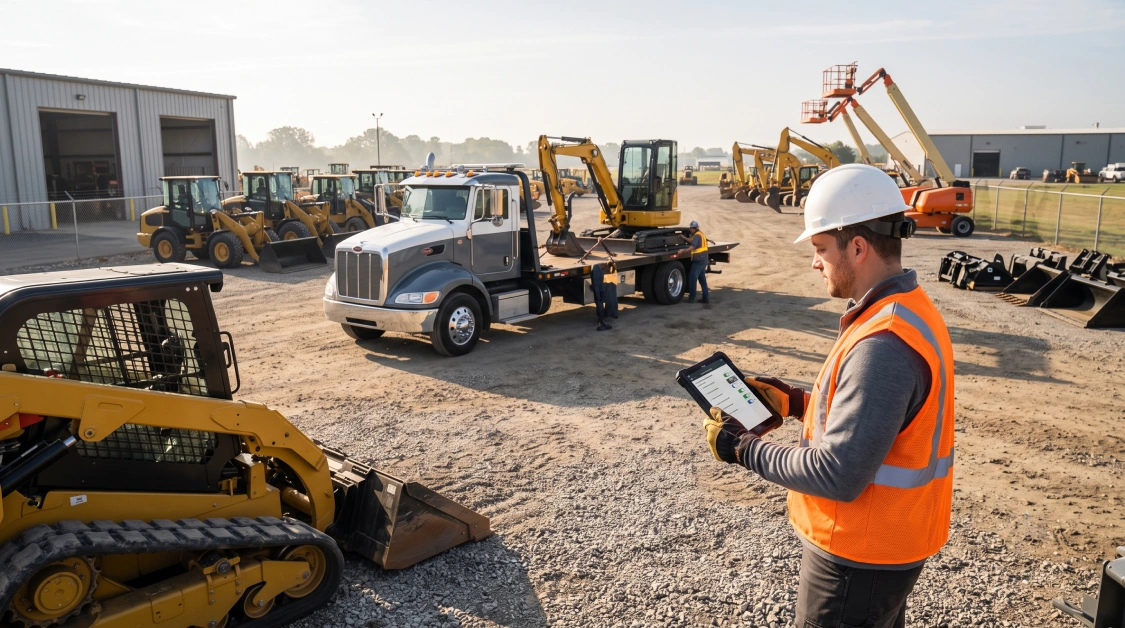
Rental software with a mobile app gives equipment yard crews, field technicians, delivery drivers, and counter staff instant access to live inventory, check-in checklists, digital signatures, and service records directly from smartphones or rugged tablets. In a fast-moving equipment rental business, half of your critical operations happen far away from a desktop terminal. Machines roll across the yard gate, delivery flatbeds pull onto commercial jobsites, and road mechanics diagnose blown hydraulic lines in remote pastures. When field workers are forced to jot machine hours on torn scrap paper, snap inspection photos on personal camera rolls, or call counter clerks to verify contract numbers, operational blind spots multiply. Misplaced return notes delay turnaround times, unbilled fuel top-offs go unnoticed, and missing wear-and-tear documentation causes endless billing disputes with contractors. Equipping your personnel with dedicated mobile functionality turns every phone and tablet into an active operational hub that synchronizes field actions directly with your central counter database.
Why Is Mobile Access Vital for Modern Equipment Rental Operations?
Mobile access is vital for modern equipment rental operations because it bridges the operational disconnect between front-counter software and physical yard activity, preventing administrative bottlenecks, lost documentation, and delayed machine turnaround times. Traditional rental management often traps operational data inside desktop computers located in the sales office. Meanwhile, physical check-ins, condition assessments, and customer handoffs take place hundreds of yards away on the gravel or miles away on customer jobsites. When your yard and delivery staff operate without real-time database access, they rely on handwritten tickets that create double data entry, billing inaccuracies, and slow fleet turns.
Transitioning field staff to native mobile technology delivers measurable daily advantages:
- Real-Time Data Capture: Equipment operating hours, fuel levels, and return times post instantly into your central system the moment the machine arrives, eliminating the wait for physical paperwork to travel across the yard.
- Immediate Inventory Re-Allocation: Units cleared through mobile check-in update immediately to the staging line or service queue, letting counter staff book ready machines without delay.
- Paperless Field Compliance: Drivers capture legally binding customer signatures, delivery timestamps, and jobsite coordinates directly on handheld screens without handling physical paper agreements.
Adopting purpose-built rental software with mobile app functionality removes administrative lag, giving your personnel real-time fleet control wherever their boots hit the ground.
What Must Yard Technicians Be Able to Do During Check-In and Check-Out?
Yard technicians must be able to conduct standardized digital walk-around inspections, record timestamped condition photos, log hour meters, and verify auxiliary attachments on mobile screens before closing out or dispatching a rental contract. Check-out and return inspections represent the first line of defense against unpaid customer damage. When a contractor brings back a compact track loader with bent sheet metal or a cut rubber track, having timestamped photographic proof from the initial yard departure eliminates contentious arguments and protects your repair recovery margins.
An effective mobile yard workflow requires several core capabilities:
- Mandatory Walk-Around Checklists: Step-by-step digital prompts guide yard personnel through critical machine points, including fluid levels, tire pressure or track tension, safety decals, and structural integrity.
- High-Resolution Photo Capture: Technicians snap condition photos of all four sides of the asset directly inside the open return ticket, storing permanent visual evidence tied to that specific contract.
- Accessory and Attachment Verification: Mobile checklists prompt the technician to confirm the return of specialized implements such as trenching buckets, hydraulic breakers, quick-attach couplers, and hoses.
- Meter-Hour and Fuel Reconciliation: Staff log exact engine run hours and fuel levels, prompting the system to flag excess usage or bill fuel top-off charges automatically.
Connecting these mobile check-in routines to broader equipment rental software solutions ensures that returned equipment flows into maintenance schedules, billing queues, and inventory boards without manual intervention.
What Capabilities Do Delivery Drivers Need in the Field?
Delivery drivers need mobile capabilities to access turn-by-turn route directions, review drop-off site instructions, execute digital sign-offs, and conduct jobsite condition inspections at the point of delivery or pickup. Transporting heavy machinery between rural lease roads, congested highway corridors, and unfinished commercial developments requires tight communication. If a transport hauler arrives at an unattended jobsite without documented delivery instructions or gate access codes, delivery delays quickly eat into your driver’s daily hauling schedule.
Equipping drivers with mobile dispatch tools streamlines drop-offs and recoveries:
- Digital Bills of Lading and Delivery Receipts: Drivers present contracts on mobile screens for site superintendent signatures upon delivery, automatically emailing completed receipts to the client.
- Unattended Drop-Off Documentation: When machines are delivered to vacant sites before dawn, drivers capture photos of the staged machinery, padlocks, and ground conditions to verify safe arrival.
- Real-Time Dispatch Updates: Transport drivers update ticket statuses from en route to arrived, unloaded, and completed, giving dispatchers live visibility into hauling progress.
- Geo-Tagged Arrival Stamps: Automatic GPS tagging records the exact location and time of drop-off, providing indisputable verification should jobsite access disputes arise.
These specialized mobile tools cater to diverse sectors, from heavy dirt machinery to event staging. Exploring workflows tailored across different equipment rental software industries guarantees that transport features match the unique requirements of your equipment mix.
How Does Mobile Maintenance Tracking Support Shop and Road Mechanics?
Mobile maintenance tracking supports shop and road mechanics by displaying open work orders, logging parts used from service trucks, recording technician wrench hours, and updating asset availability statuses in real time. Road service calls are an inevitable reality of the rental business, whether repairing blown hydraulic fittings on an excavator or replacing a severed drive belt on a commercial mower. When mobile mechanics lack system access, they must keep track of part numbers and labor hours manually, often forgetting small fittings or delaying service ticket closeouts for days.
A practical mobile maintenance interface must provide technicians with key functional features:
- Digital Work Order Execution: Mechanics review machine trouble descriptions, past service histories, and manufacturer guidelines on their tablets before beginning field repairs.
- Field Parts Depletion: Technicians scan or select replacement parts from mobile service van inventory, ensuring truck-stock counts decrease accurately and trigger replenishment orders.
- Instant Machine Status Toggles: Once field repairs and safety tests are complete, mechanics toggle the asset from under maintenance to ready to rent, making the machine immediately available for dispatch.
- Voice-to-Text Diagnostic Notes: Field technicians dictate repair summaries and observations directly into the system, producing clean work logs without manual typing.
Modernizing mobile workflows with AI-powered rental software accelerates these tasks further, using intelligent text processing to clean up diagnostic notes and suggest reorder quantities for high-wear parts.
How Does Direct Mobile Accounting Integration Stop Revenue Leaks?
Direct mobile accounting integration stops revenue leaks by instantly pushing field-logged damage charges, fuel top-offs, environmental fees, and engine overtime hours into the central general ledger without administrative reconciliation. In disconnected operations, yard notes regarding missing fuel or broken glass often fail to reach accounting before the customer’s initial invoice is closed. Attempting to bill a commercial contractor for a damaged bucket or missing fuel two weeks after the rental period ends regularly leads to disputed invoices and uncollected revenue.
Integrating field operations with your core financials provides several distinct advantages:
- Automated Final Invoicing: Data logged at the mobile return station triggers instant calculation of fuel surcharges, cleaning fees, and meter overtime, applying them to the final bill before releasing the card deposit hold.
- Live Accounts Receivable Synchronization: Field staff and drivers can review whether an account is on credit hold or requires COD payment before releasing equipment at the jobsite gate.
- Seamless General Ledger Posting: Equipment repair parts and external labor expenses logged by mobile mechanics post directly to the asset’s depreciation and maintenance ledger.
Reviewing available enterprise software integrations ensures that mobile transactions feed cleanly into QuickBooks, custom enterprise ledgers, and digital payment gateways without manual data handling.
Key Mobile Capabilities by Rental Role
| Rental Team Role | Primary Mobile Device Tasks | Operational Impact |
| Yard Technician | Digital check-in/out, walk-around photos, fuel and hour logging | Stops unbilled customer damage and speeds up turnaround times |
| Delivery Driver | Digital signatures, route manifests, photo drop-off proof | Verifies on-time delivery and eliminates missing paperwork |
| Field Mechanic | Work order tracking, van stock depletion, repair status toggles | Cuts machine downtime and logs all billable labor and parts |
| Counter Sales | Mobile stock lookups, remote contract holds, rate checks | Enables quick walk-in service and real-time inventory checks |
Frequently Asked Questions
What hardware is required to run a mobile equipment rental app?
Most modern rental apps run on standard iOS and Android smartphones, consumer tablets, or ruggedized handheld field devices equipped with integrated cameras and GPS capabilities.
How does a mobile rental app prevent disputes over equipment damage?
The app requires timestamped, high-resolution photos and structured digital checklists during both check-out and check-in, creating an indisputable visual record of the machine’s condition before and after use.
Can field drivers use mobile rental software without an active cellular connection?
Leading mobile rental platforms provide offline functionality that stores inspection photos, data inputs, and digital signatures locally on the device, syncing automatically once a cellular or Wi-Fi connection is restored.
How does mobile check-in handle fuel charges and engine overtime?
When technicians log fuel levels and hour meter readings during mobile check-in, the system automatically compares the data against contract terms and applies overtime or refueling fees to the final invoice.
Does a mobile rental application sync directly with back-office accounting?
Yes, robust rental apps connect through real-time API integrations to update live inventory schedules, close open contracts, adjust liability deposits, and post line items straight to your general ledger.